

The $30 Hermes Stack That Makes Claude Max Look Like a Ripoff
Claude charges $200 per month for Cowork and Code, but it limits you mid session. Here’s the Hermes stack that beats both with unified system memory, file sync, blazing fast speed, and unlimited usage

I was paying $200 for Claude Max and still hitting limits mid-project. I’d open Hermes to write some code, summarize an article or set some reminders for later use. It was fast and way better than OpenClaw, but something was keeping me from going all-in.
Then I spent the full week to figure out how to configure it properly.
Now Hermes remembers everything across sessions, manages my projects, syncs files instantly across devices, and handles complex workflows while I’m asleep. It went from a tool I use to a teammate that works independently.
Here’s exactly how to do the same.
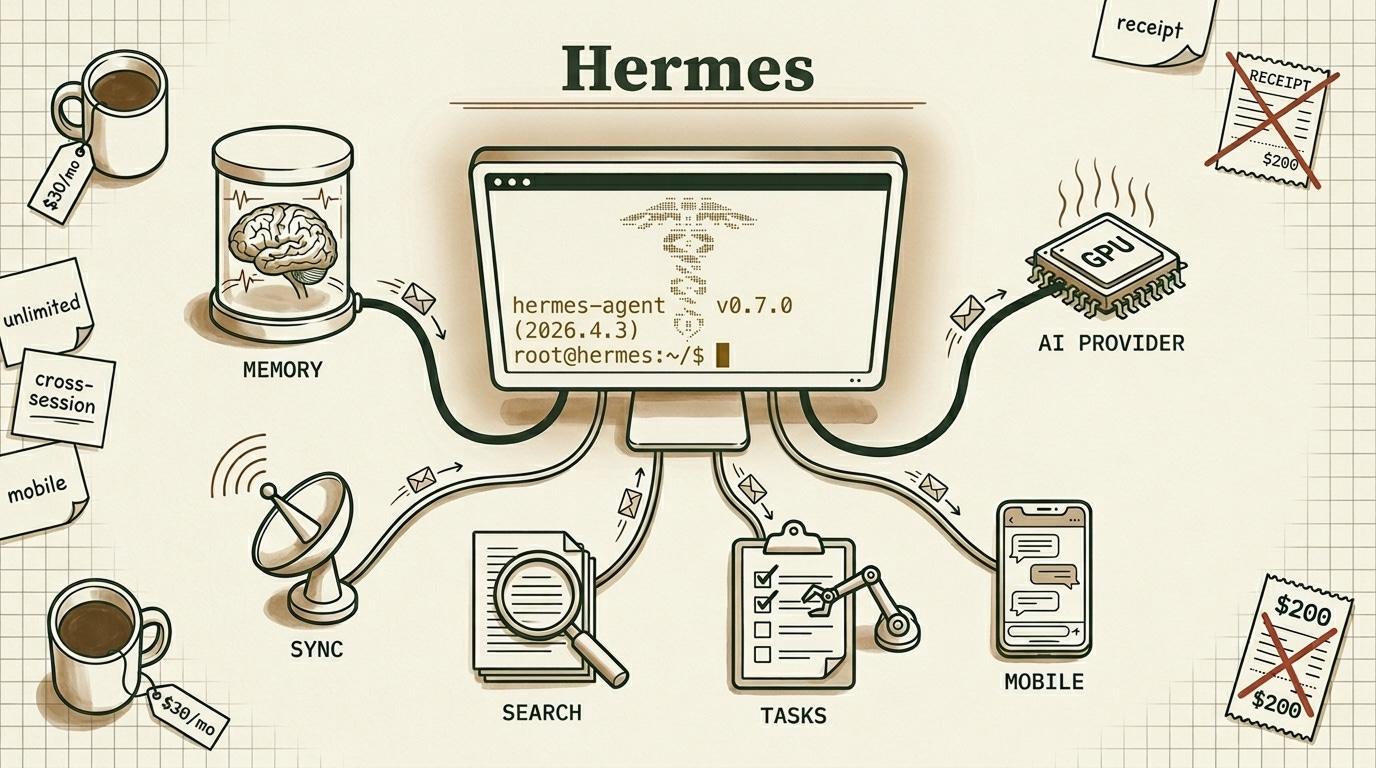


In This Article:
The two AI providers worth using right now (Fire Pass vs OpenCode Go) so Hermes never chokes mid-session.
The four tools that changed how I use Hermes (GitHub CLI, Telegram gateway, Brave Search, Skills) and the workflows they make possible.
Fixing persistent memory with Honcho, replacing bloated Nextcloud with lean WebDAV, and wiring up Asana so your work doesn’t disappear.
The 30-day plan to full turbo mode, plus why you should never expose port 8642.

You’re Running Hermes Agent in First Gear
Open your Hermes setup right now and count how many of these you have configured. A fast AI provider with unlimited or high-limit access. Cross-session memory that works reliably. Integration with your project management tool. File sync that doesn’t make you wait 30 seconds. Skills that automate repetitive workflows. Remote access from your phone.
Most people have one or two. Maybe three if they’re motivated.
The setup looks intimidating, so people skip most of it. I did the same thing for weeks.
But each of these capabilities compounds on the others. Fast AI lets you iterate. Memory means you stop repeating yourself every session. Project integration means tasks get tracked automatically. File sync means your notes show up everywhere. Skills mean the boring stuff runs without you.
Once all of them are running together, the experience changes. Hermes stops feeling like a chatbot you type into and starts feeling like someone who knows your work, remembers your preferences, and handles things without being asked twice.
That shift is what the rest of this article builds toward.
Picking the Right AI Provider: Fire Pass Vs OpenCode Go
Hermes is only as good as the AI powering it. Pick the wrong provider and you’ll hit rate limits at the worst moment or watch tokens drain your budget faster than expected.
I tested several. Two stood out.

Fireworks Fire Pass costs $7 per week (about $30/month), first week free. You get unlimited access to Kimi K2.5 Turbo at roughly 393 tokens per second. That’s one of the fastest inference speeds available anywhere right now.
The catch: it’s Kimi K2.5 only. No model variety, no backup if Kimi goes down. But for coding, reasoning, and long documents, Kimi handles all of it well. And at 393 t/s, even long outputs feel instant.
Kimi K2.5 Turbo runs on a 1 trillion parameter MoE architecture with 32 billion active per forward pass. The “Turbo” label means the same weights served on optimized infrastructure, with a 256k context window and strong agentic tool use. When I’m in the middle of a long coding session and need fast iteration, this is what I reach for.
OpenCode Go costs $5 the first month, then $10. Instead of one fast model, you get six with generous request limits: MiniMax M2.7, MiniMax M2.5, MiMo-V2-Omni, GLM-5, Kimi K2.5, and MiMo-V2-Pro.
MiniMax M2.7 is the standout. Released March 2026, it scores 50 on the Artificial Analysis Intelligence Index, matching GLM-5 at roughly one-third the cost.
My recommendation: start with Fire Pass if you want simplicity and speed. Switch to OpenCode Go when you find yourself wanting to test alternatives or when you’re doing bulk work where MiniMax M2.7’s cost advantage matters.
Both work with Hermes out of the box. Set your API key in ~/.hermes/.env and you’re running.


Fixing Hermes’ Forgetfulness with Persistent Cross-Session Memory
Hermes has built-in memory, but it’s session-scoped by default. Close the terminal, lose the context. Fine for one-off tasks. Useless for ongoing work.
I noticed this on day three. I’d spend twenty minutes bringing Hermes up to speed on a project we’d discussed the day before. The conversations were gone. Every morning felt like onboarding a new hire.
Honcho fixed this. It’s an open-source memory library that gives Hermes persistent cross-session context. The team describes it as a “peer paradigm” where both you and the agent build a relationship over time. In practice, it stores facts about you, your projects, your preferences. Every new session starts with that context already loaded. No re-explaining your stack, your location, or your goals.
Setting it up locally took me longer than I expected. Docker Compose, deriver logs, token limit errors. I spent hours watching the deriver fail with “Observation content exceeds maximum token limit of 8192” when synthesizing my imported memory files. The raw search worked fine, but the AI-synthesized peer cards kept failing on large imports.
Here’s the honest breakdown. The raw memory retrieval is solid. Honcho stores entries and retrieves them instantly. The AI synthesis layer, the part that builds distilled user profiles, chokes on large imports. Use raw search for now.
On April 3, 2026, Hermes introduced the Pluggable Memory Provider Interface. Memory is now an extensible plugin system where third-party backends register through a provider ABC. This changes things.
The providers available today:
Honcho, the reference implementation with AI-native cross-session modeling
Hindsight (vectorize.io), a purpose-built plugin hitting 91.4% accuracy on LongMemEval
Mem0, widely adopted but cloud-focused
Letta (formerly MemGPT), a full agent platform with tiered memory
Zep/Graphiti, temporal knowledge graphs
OpenViking, Holographic, RetainDB, ByteRover, community alternatives
I’m exploring building a custom solution. Full local control, token-efficient storage, direct Hermes integration without middleware, and a deriver that doesn’t choke on context limits. The pluggable interface makes this possible now.
For immediate setup: run hermes memory setup and select Honcho. It works well enough for raw search. Expect synthesis to improve, or plan to swap providers as the ecosystem matures.
How to Run Your Entire Workflow from a Single Interface
Once you have fast AI and working memory, the next layer is the tooling that makes Hermes useful beyond chat.
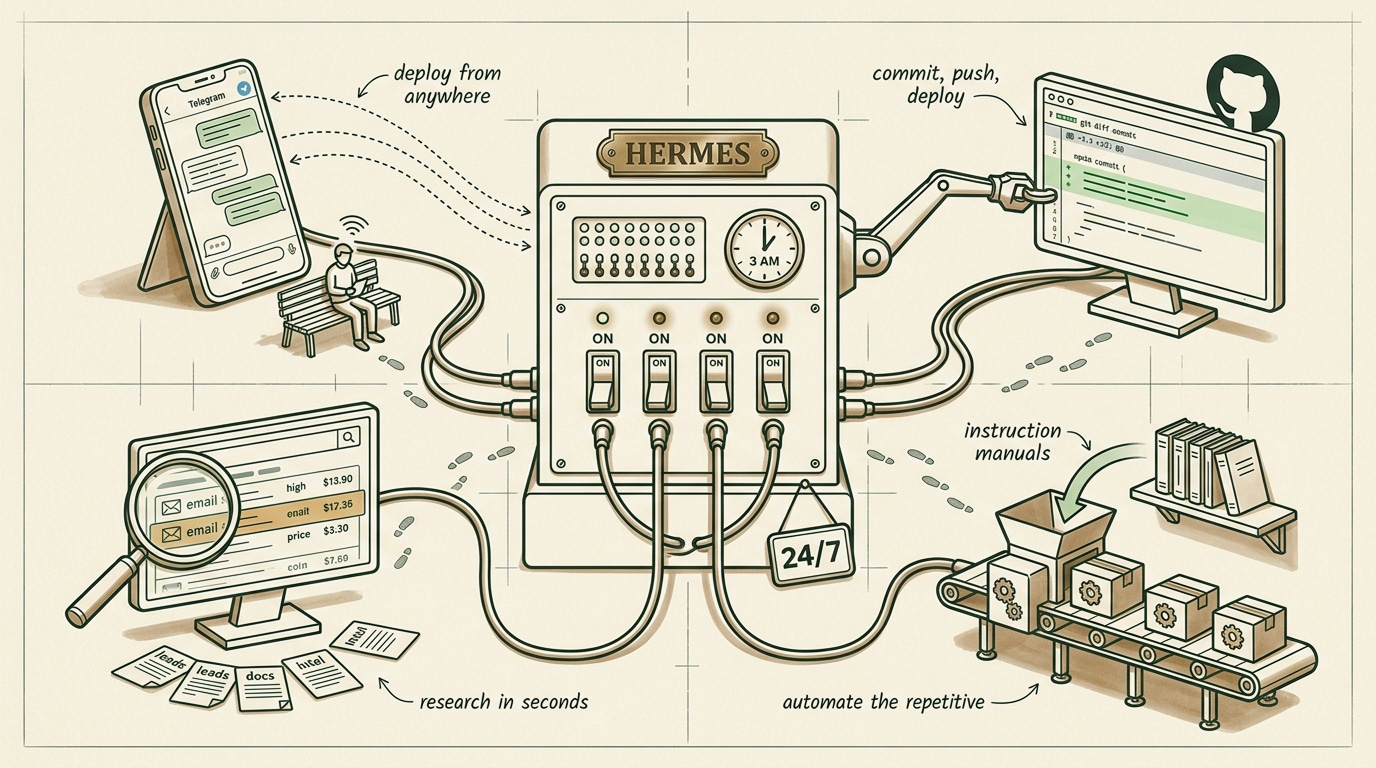
GitHub CLI was the first thing I set up. Install gh, authenticate once, and you have commits, pushes, and PR management without leaving the terminal. This became the foundation for everything else.
Telegram integration is what made the whole setup click for me. Run hermes gateway telegram setup once and you have a direct line to your agent from anywhere. I use this constantly. Someone messages me about a website change while I’m out. I send a Telegram command to Hermes. It pulls the repo, edits the file, commits with “[via Telegram]” in the message, pushes. Vercel auto-deploys. I never opened a laptop.
That workflow alone justified the entire Hermes setup.
Brave Search is the research tool I reach for most. Built into Hermes via MCP, it finds emails, hiring managers, technical documentation, competitive intelligence. The queries I run regularly: "company" "hiring manager" email, "competitor" pricing 2026, "technology" benchmark performance. For contract work research, nothing comes close.
Skills are reusable instruction packages that teach your agent to perform specific tasks consistently. I have one for deploying to production, another for writing article briefs, another for analyzing codebases. Install with npx skills add from sources like Vercel Labs or LobeHub.
One thing to watch out for: the skills CLI doesn’t fully recognize Hermes yet. It defaults to .openclaw/ directories. Import manually to ~/.hermes/skills/ instead. And skills have full system access, so only install from sources you trust.
OpenCode for Root Access
Sometimes Hermes struggles with system-level operations. Editing system files, installing packages that need root permissions. The sandboxing gets in the way.
I keep OpenCode running on my VPS root for these situations. Quick system tweak, I use OpenCode. Complex multi-step workflow, I switch to Hermes. Two tools, each in the environment where it performs best.

What workflow automation saves you the most time? Drop a comment. I’m collecting the best setups.

The Simple CLI Setup for Tracking Work Across Sessions
All this capability falls apart if you lose track of what needs doing. I use Asana because it integrates cleanly and the free tier handles personal projects.
The setup: Python asana package in a dedicated virtual environment, CLI wrapper at /usr/local/bin/asana-api, token in ~/.asana_env sourced by .bashrc. My main project is called “Hermes project” and Hermes remembers the GID, auto-linking tasks to conversations.
During a session I’ll say “create an Asana task to research Hindsight memory provider.” Hermes creates it, tags it with the session ID, and I pick it up later from anywhere. The task lives in one place regardless of which device or gateway I used to create it.
Linear works well too if you prefer GraphQL. Notion databases are popular. The tool matters less than the habit: one source of truth your agent reads and writes to.
How to Fix Slow File Sync Between Devices
If you’re syncing Obsidian with Nextcloud right now, you already know the pain. Thirty seconds to sync two hundred small files. File locking issues during rapid changes. A database-backed architecture adding overhead you never asked for.
I ran Nextcloud for months. It worked. But every sync felt like watching paint dry.
The fix: WebDAV server + Filebrowser + Obsidian LiveSync.
WebDAV is purpose-built for file sync. No database layer, direct file operations, lightweight protocol. Filebrowser adds a web UI for browser access when you need it. Together they’re roughly ten times faster than Nextcloud for the same job.
services:
  webdav:
    image: bytemark/webdav
    volumes:
      - ./data:/var/lib/dav
    environment:
      - AUTH_TYPE=Basic
      - USERNAME=youruser
      - PASSWORD=yourpass
    ports:
      - "8080:80"

  filebrowser:
    image: filebrowser/filebrowser
    volumes:
      - ./data:/srv
      - ./filebrowser.db:/database.db
    ports:
      - "8081:80"
In Obsidian, install the Remotely Save plugin, point it at your WebDAV endpoint, set a 30-second sync interval. Done. Files created by Hermes appear instantly in your notes. Briefs, articles, research, everything syncs across devices without the Nextcloud overhead.
If you’re running Nextcloud for Obsidian sync only, this one change saves you hours of waiting per month.
Securing Your Hermes API: Authentication and Safeguards
Hermes runs as an API server on port 8642. Other tools connect to it. IDE extensions in VS Code, Zed, JetBrains. Custom tools that send tasks. Multi-agent systems where one Hermes serves multiple clients. Webhooks from external services.
The v0.7.0 ACP (Agent Client Protocol) integration means editors register their own MCP servers and Hermes automatically discovers them as tools. Full slash command support in your IDE, powered by your configured Hermes instance.
This sounds great until you think about what you’re exposing.
Hermes has full system access. Terminal, file system, API keys, everything. Exposing port 8642 exposes all of that. Any client connecting executes arbitrary commands. And there’s no built-in authentication in the base setup.
I learned this the hard way when I briefly opened the port to test an integration from my phone. It worked, but I realized anyone on my network had the same access I did. Shut it down within the hour.
If you need to expose Hermes, put a reverse proxy in front of it. Cloudflare Access or Authelia work well. Restrict to local network when possible. Use token-based auth with short expiry. Enable approval mode so every action requires manual confirmation. Never expose raw port 8642 to the internet.
The safer approach: use Telegram or Discord gateways for remote access. They have built-in platform authentication. Run separate Hermes instances per project with limited scopes. Use Docker sandbox for anything untrusted.
The API mode is the most capable part of the Hermes stack, and the easiest way to accidentally give the internet shell access to your systems.


The 30-Day Hermes Setup Plan
You don’t need to do all of this in one weekend. Here’s the order that worked for me.
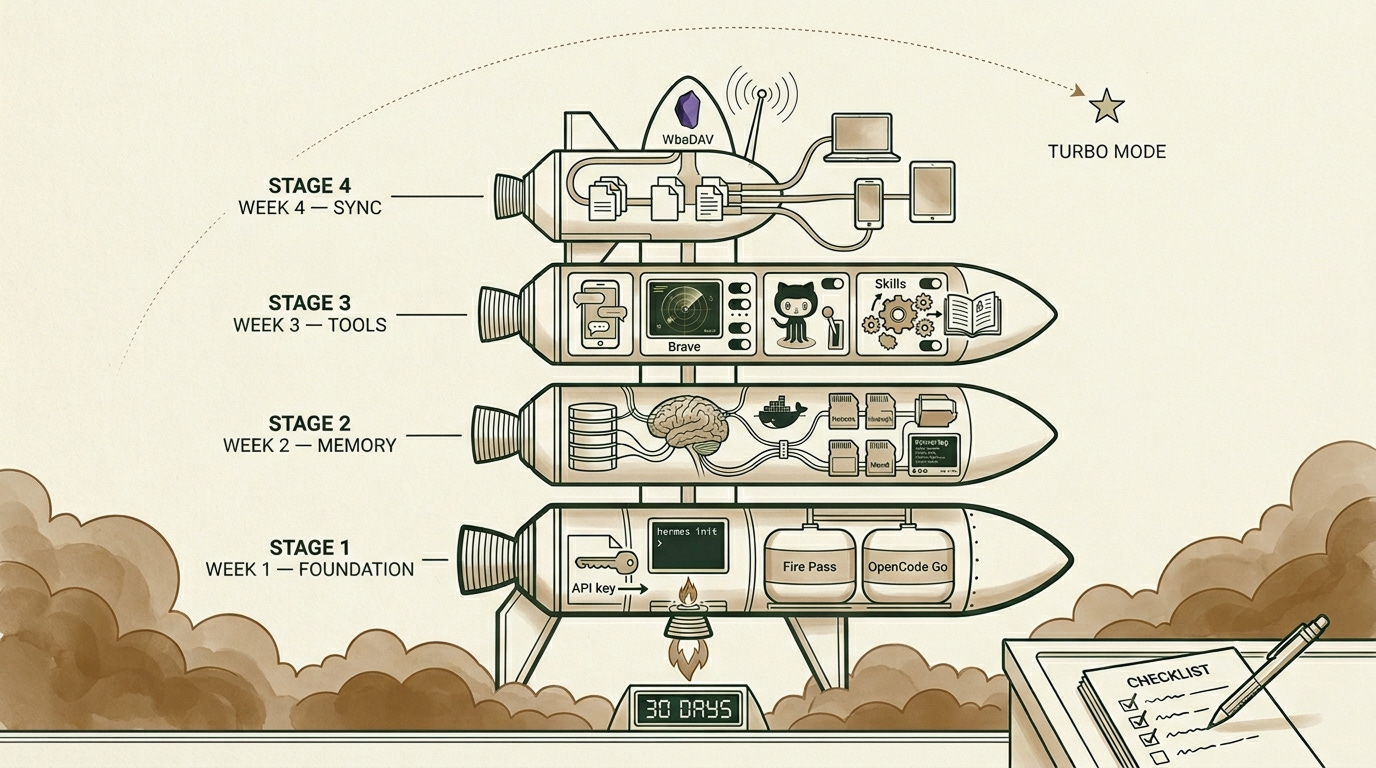
Week 1 is the foundation. Pick your provider, Fire Pass for unlimited Kimi or OpenCode Go for variety. Set up your API keys in ~/.hermes/.env. Configure GitHub CLI with gh auth login. Run a few test conversations to make sure everything connects.
Week 2 is memory. Set up Honcho locally with Docker Compose. Run hermes memory setup and select Honcho. Verify that raw memory search returns results. Import existing context from past conversations. By the end of this week, Hermes should remember who you are when you open a new session.
Week 3 is tooling. Configure the Telegram gateway. Install 3-5 essential skills, manually importing to ~/.hermes/skills/. Set up your Asana CLI integration (or Linear, or Notion). Test Brave Search with a few research queries. This is the week where Hermes starts feeling useful beyond basic chat.
Week 4 is sync. Deploy the WebDAV + Filebrowser stack. Configure Obsidian’s Remotely Save plugin. Migrate your notes from whatever slow setup you’re running now. Verify that files sync instantly across all your devices.
After month one, experiment with API mode locally. Explore alternative memory providers. Build internal tools that call Hermes, with proper authentication in front of everything.
Each week builds on the last. By the end you’ll have something that remembers everything, works while you sleep, and syncs across every device you own.
That’s the setup. Everything before it is first gear.

Related Posts



What’s the first capability you’re adding? Reply and tell me. I read every response.

Great article. I’d love to hear your opinion on how you like my memory solution I built for claudia.aiadopters.club
I actually forked Hermes to build a claudia version of it.
Will give Hermes another spin.
Thoughts on Open Router for the gateway?